Email notifications
Pantarey sends e-mails when a new task is assigned or a process fails with an error. Which of these e-mails arrive is set in the profile, individually for each user. This way, not every member of a large group receives an e-mail for every task, and the inbox only gets what is actually needed.
Settings in the profile
The Profile contains the card Email notifications with three switches:
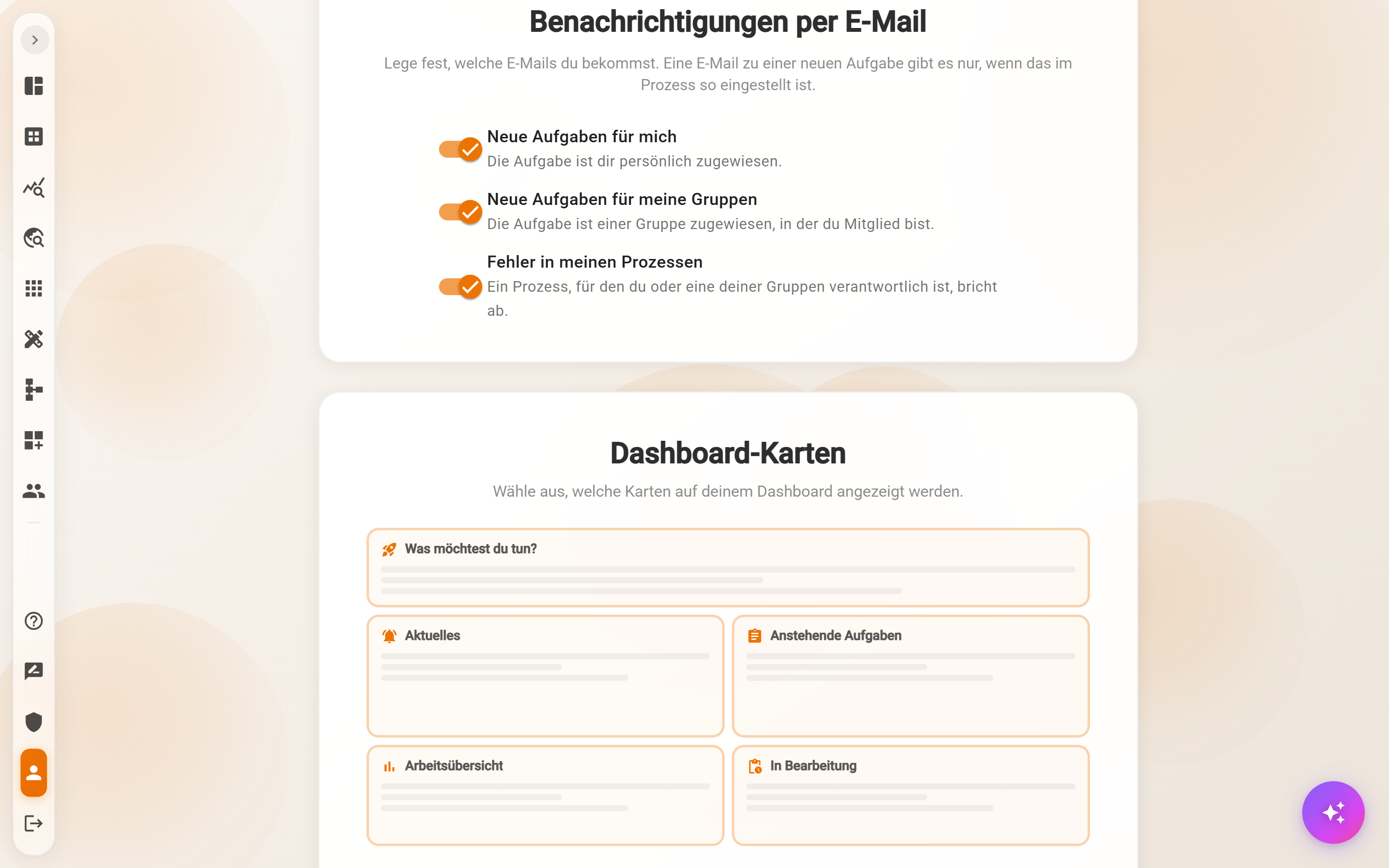
| Switch | When is the e-mail sent? |
|---|---|
| New tasks for me | A task is assigned to the user personally. |
| New tasks for my groups | A task is assigned to a group the user is a member of. Each member receives a separate e-mail. |
| Errors in my processes | A process that the user or one of their groups is responsible for fails with an error. |
- Default: All three switches are on. Without any change, e-mails arrive as before.
- Saving: Every change is saved immediately. If saving fails, a message appears and the switch returns to the saved state.
- Own user only: The setting does not affect other members of the same group.
- Separate switches for tasks: “New tasks for me” and “New tasks for my groups” work independently. If only the personal switch is off, e-mails about group tasks still arrive – the card points this out.
- Straight from the e-mail: Each of these e-mails contains the link “Benachrichtigungen ändern” (change notifications) at the bottom. It opens the profile right at the card.
What happens when a switch is off
Only the e-mail is switched off – the work itself stays visible:
- Tasks still appear under Pending tasks and can be completed as usual.
- Failed processes remain visible in the Process Explorer and can be resumed there, see Process Explorer actions. When “Errors in my processes” is off, the card shows a note about this.
Switching off error e-mails
If nobody but the user is responsible for the process, a failure will only be noticed the next time someone looks at the Process Explorer.
When e-mails are sent at all
The switches only decide whether an e-mail that the process would send actually arrives. Whether the process sends one is set in the Process Designer:
- New tasks: An e-mail is only sent if “Email notification” is checked on the user task.
- Process errors: The e-mail goes to the process owner of the process. If a group is entered there, each member receives a separate e-mail. If nobody is entered, no error e-mail is sent.
- Not affected: E-mails that a process sends as a step of its own, and notifications for external tasks.
Example
The “Accounting” group has five members. Invoice approvals are assigned to the group, but mostly handled by two people. The other three switch off “New tasks for my groups”. They still see the approvals in their pending tasks but no longer receive an e-mail about them.
Frequently asked questions
Too many e-mails from group tasks, personal ones should stay.
Leave “New tasks for me” on and switch off only “New tasks for my groups”. Personally assigned tasks then still arrive by e-mail, group tasks are only shown in the card.
Several people should be informed about a failure.
Enter a group as process owner in the Process Designer. Each member then receives their own error e-mail and decides on the switch themselves.
The card shows “Notification settings could not be loaded.”
Then the permission for personal settings may be missing. The administrator can help.
Next step
Help, feedback and what's new: guided tours, support and the dialog after an update.