Start events
Every process begins with a start event; it determines who or what triggers an instance and what the message begins with. The type is selected via the wrench at the start event.
User start
After the deploy, the user start becomes the tile under What would you like to do? and the start function in the dashboard widget Start process; a connected AI assistant starts it in the conversation.
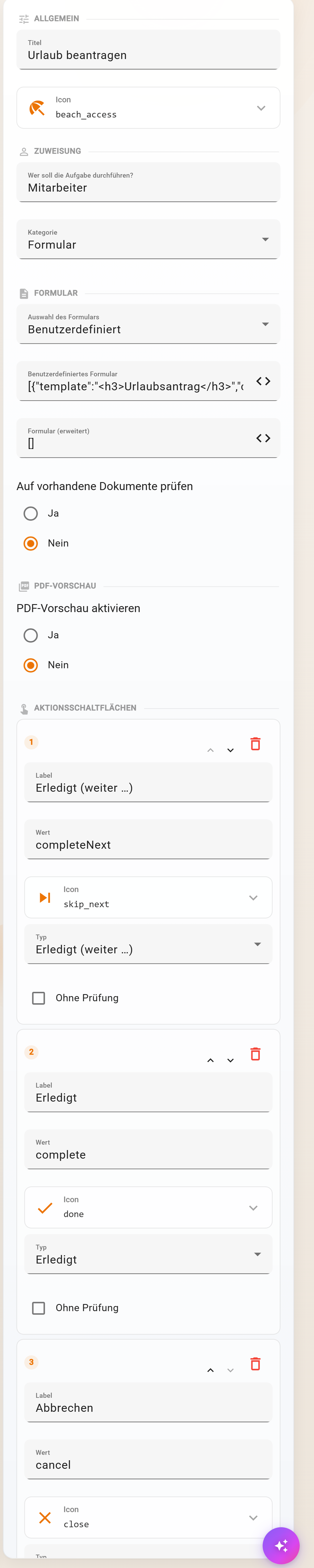
| Section | Fields |
|---|---|
| General | Title of the tile, Icon from the icon catalogue |
| Assignment | Who should perform the task?: group, person or everyone; only these see the tile. Category: Form, Text only, Start immediately, File upload |
| Form | Form selection (automatic form of a data schema or Custom), Custom form, Form (extended), Check for existing documents (warns about duplicate records) |
| Confirmation dialog (Start immediately) | Show confirmation dialog, Dialog text, Confirmation button text |
| File upload | Execution mode “One process per file” or “One process for all files”, Accepted file types All, PDF only, Images only |
| PDF preview | as for the user task, for example an invoice preview already while entering data |
| Action buttons | default Done (continue …), Done, Cancel; custom values and mapping path as for the user task |
| Metadata | Tags group the tiles on the start page; without a tag “Other” |
The form data becomes the first message unchanged. Validation rules and computed fields of the data schema already apply in the start form, see Linking processes and forms. With File upload, the message contains the file references; “Upload delivery notes” of the Musterfirma starts one instance per PDF this way.
Schedule (timer start)
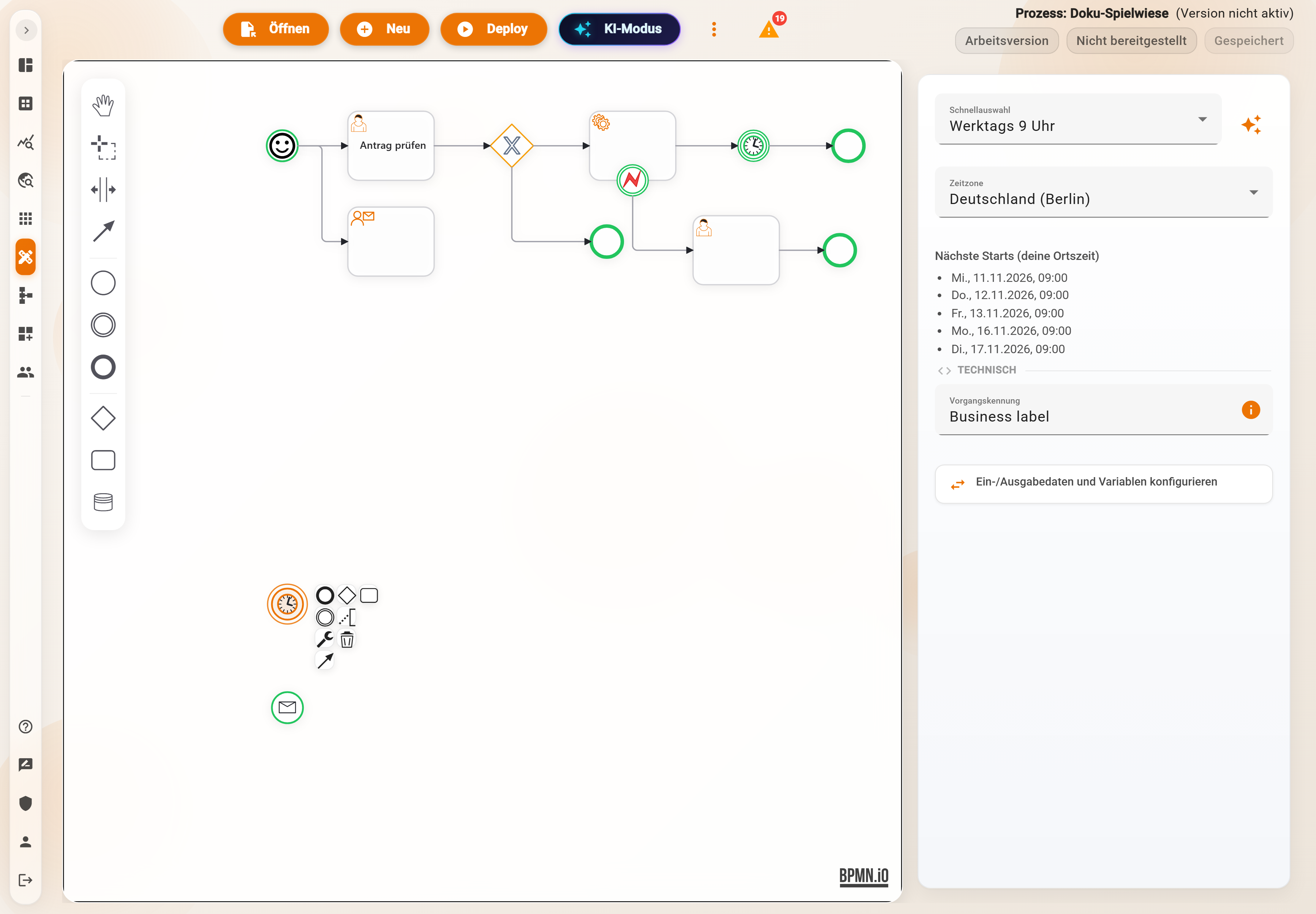
| Field | Meaning |
|---|---|
| Quick selection | Every 5, 15, 30 minutes, Hourly, Daily, Weekdays 9 a.m. (default), Every Monday 8 a.m. or Custom |
| Schedule | with Custom: rate(1 hour) for fixed intervals from the deploy onwards or cron(minute hour day month weekday year) for times of day, for example cron(0 6 1 * ? *) on the first of the month at 6 a.m.; day or weekday must be ? |
| Create with AI | describes the schedule in words, the AI proposes the expression |
| Time zone | with cron: Germany (Berlin) (default), Austria (Vienna), Switzerland (Zurich), UTC; daylight saving time is taken into account |
| Next starts (your local time) | preview of the next five dates, with an error message for an invalid expression |
The schedule applies from the deploy onwards; the message begins empty except for $$context. Older processes without a time zone continue to run in UTC until the time zone is set and the process is deployed again. On the night of the changeover to daylight saving time in spring, the times between 2 and 3 a.m. do not exist.
Message (Message Start Event)
Under Start type there are Webhook and External app:
- Webhook: Pantarey shows the Webhook URL, Copy and Test webhook. An external system sends JSON via POST, the instance starts with this data. Details, security and an example under Webhook.
- External app: Pantarey regularly polls a provider for new data (currently TeamBeam): Provider, Trigger, Polling interval, Processing mode. Details under External app.
Both only become active with the deploy.
Plain start event
A start event without a type has no tile and no trigger. It serves as the entry point when the process is called as a subprocess from another process or started via a send task from another account. A process may have several start events, for example tile and webhook side by side.
Example
“Request leave”: user start with title “Request leave”, icon deck chair, assignment Employees, category Form with the form of the schema Urlaubsantrag, tag “HR”. “Invoice run”: timer start Custom
cron(0 6 1 * ? *), Germany (Berlin).
Frequently asked questions
The tile is missing for a person.
Check the assignment: the person or their group must be listed in the start event, the process must be deployed. Tiles can additionally be included in menus.
A timer should only run on the last working day.
Cron knows L for the last day: cron(0 17 L * ? *). For “last working day”, start daily and decide in the process with $fn('date_isWorkday', …).
Can an instance start immediately without a form?
Yes, category Start immediately, optionally with a confirmation dialog. The message then begins empty; a Database step fetches the data.
Next step
User task: the task for people in the process.