Custom menus: My work and Activity
The left navigation can be tailored to the work of a department. For this, an administrator assembles menus in the Dashboard Designer: blocks with a heading that contain dashboards, process starts, tools and pages of the workspace and are assigned to certain groups or users. Whoever is assigned a menu sees it as a block at the top of the navigation; for everyone else the navigation stays as it is. This page describes what users see of it. Creating menus is described under Menus.
Blocks in the navigation
- Every block has a heading and entries. A click on the heading collapses or expands the block; Pantarey remembers this in the browser.
- The familiar areas such as Database or Process Explorer appear for users with a menu under the heading Tools, in the usual order.
- An entry appears only when the person may open its target. A menu arranges, it does not grant rights.
- The Overview stays at the top, unless it is an entry in a block. The administrator can also define a start page after login, for example a department's dashboard.
My work
The page My work brings the two most important cards of the Overview onto one page with more room: Start process on the left, Tasks on the right.
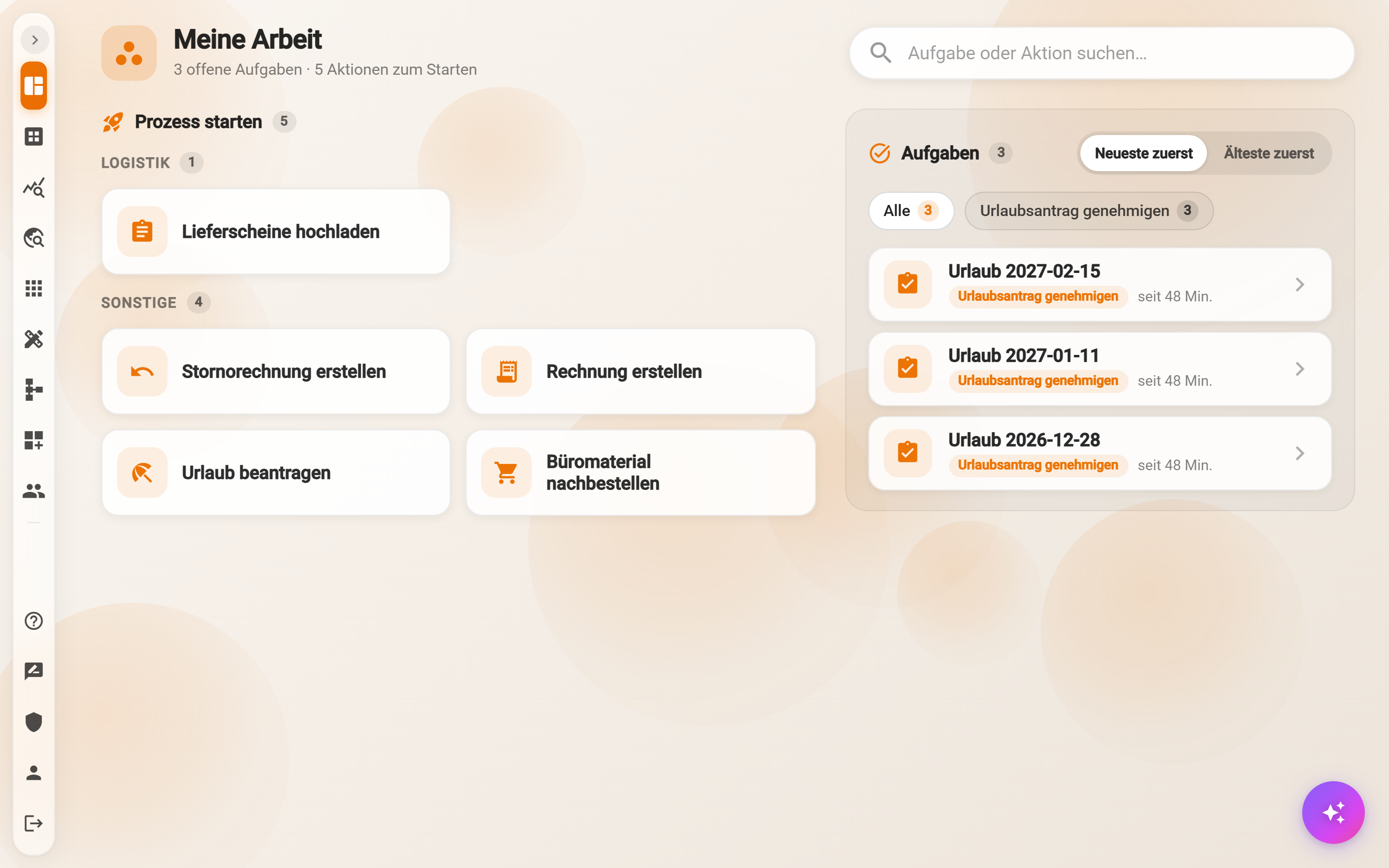
- Start process: all startable actions as tiles, sorted by group, favorites first. Actions that run immediately carry the hint Starts immediately.
- Tasks: the open tasks with business label, task name and waiting time. All and the chips per task type filter, Newest first and Oldest first sort. With several tasks of one type, Edit all n one after another appears for batch processing.
- Search task or action…: one search field at the top right filters both sides at once. The header keeps count: “3 open tasks · 5 actions to start”.
Whoever starts a process or completes a task from here returns to this page afterwards, also after cancelling and at the end of a batch.
Activity
The page Activity shows My cases at the top and the History below.
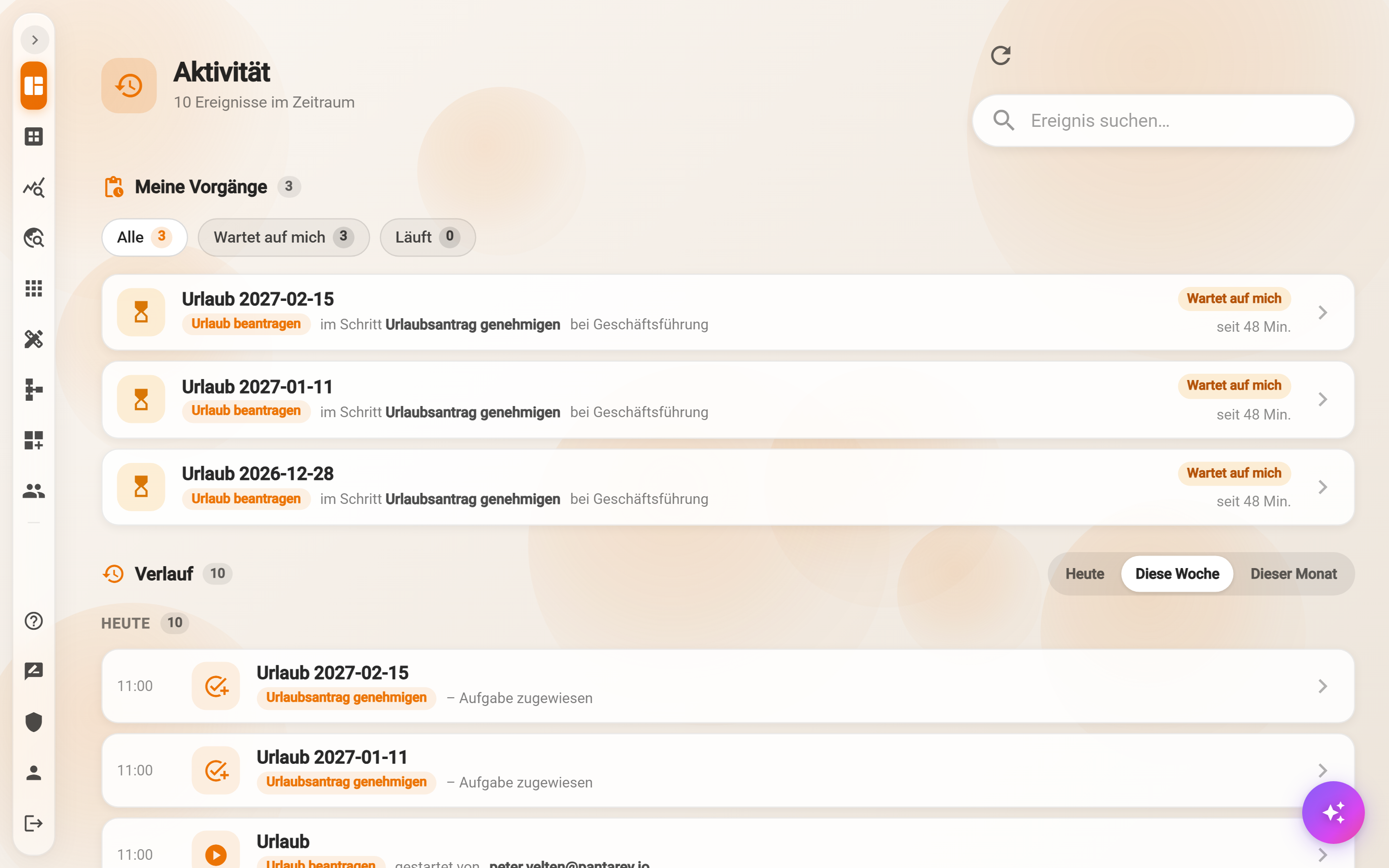
- My cases: running cases the person started or works in, with step and responsible group. The chips All, Waiting for me and Running filter; a click opens the case.
- History: the events by day, as under Activity in the Overview: started by, task assigned, finished, failed. Today, This week and This month select the range, Search event… filters, Load more fetches older entries, the arrow icon at the top refreshes.
Example
A trades business creates the block “Zeiterfassung” (time tracking) for all employees: the dashboard “Meine Stunden”, the start “Urlaub beantragen” and the page “My work”. Fitters see only the Overview, this block and, under Tools, what their roles allow. Management additionally gets the block “Geschäftsführung” with key figures and Data analytics.
Frequently asked questions
The navigation looks different for colleagues.
Menus are assigned to groups or people. Members of other groups see other blocks; without a menu the navigation stays as before.
A new menu is not there yet.
New or changed menus appear the next time the Overview is opened or after signing in again.
Overview or My work?
Both show the same tasks and starts. The Overview additionally has Activity, Work overview and In progress as cards; My work has more room for many actions and tasks. Which page appears after login is set by the administrator.
Next step
Profile and settings: colors, language, cards and notifications for yourself.