Help, feedback and what's new
Help is built into Pantarey. At the bottom of the left bar are, among others, the question mark for Help & resources, the speech bubble for Feedback and the entry to the profile. After an update, Pantarey also checks in once with What's new?.
Help & resources
The question mark opens the dialog Help & resources:
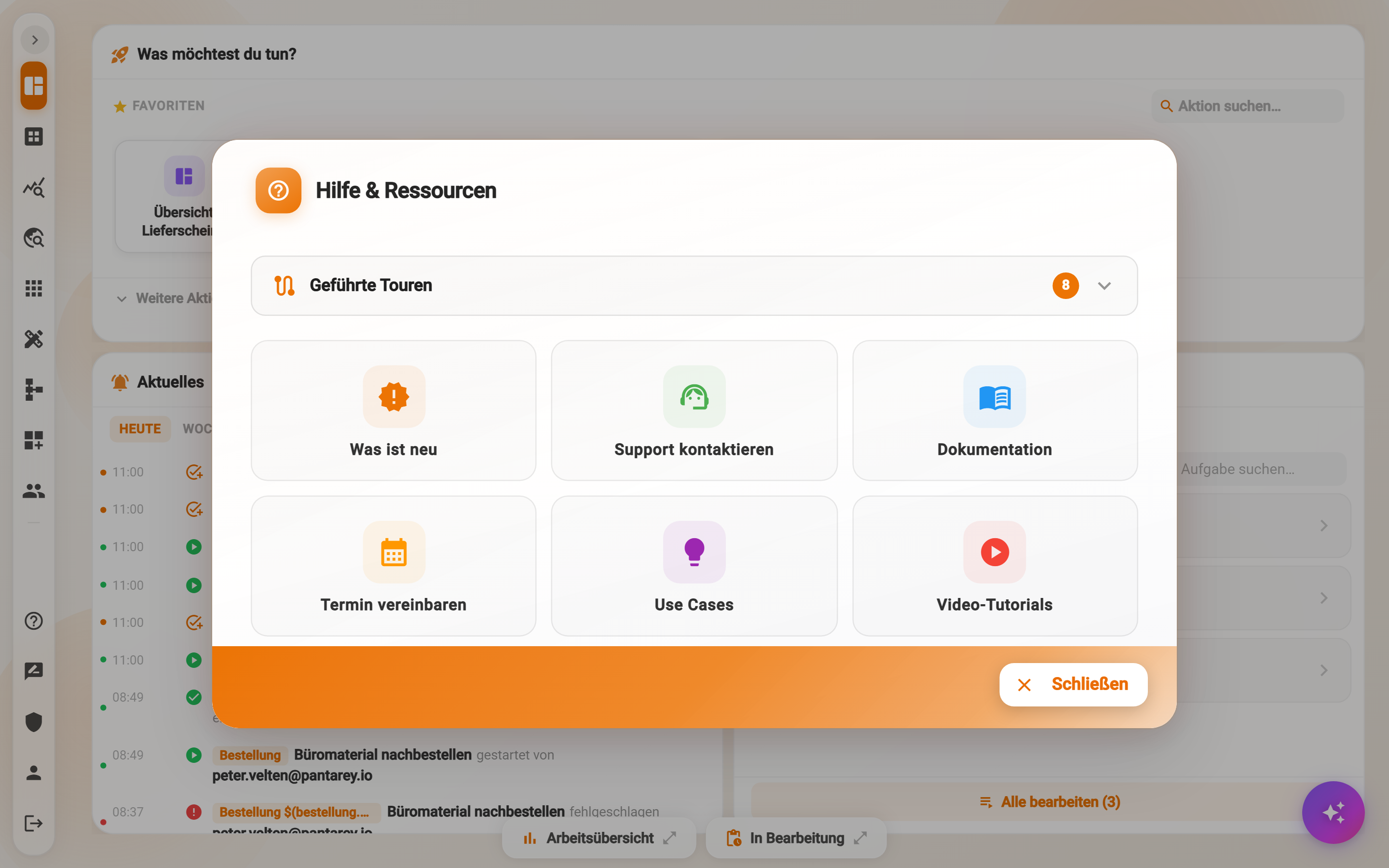
- Guided tours: eight walkthroughs that lead step by step through an area and highlight the relevant spots: Discover applications, Build processes yourself, Monitor processes, Create data, Analyze data, Create users, Appearance & language and Help & resources. A tour can be ended at any time with the cross on the speech bubble and restarted later. All eight tours are offered regardless of the user's roles.
- What's new: opens the news of the current version, see below.
- Contact support: a message to Pantarey support.
- Documentation: this documentation.
- Book an appointment: a personal consultation.
- Use cases: examples of what others do with Pantarey.
- Video tutorials: the explanatory videos on YouTube.
In addition, each card of the Overview has its own help button with a short explanation, and the designers show hints when an area is opened for the first time.
Give feedback
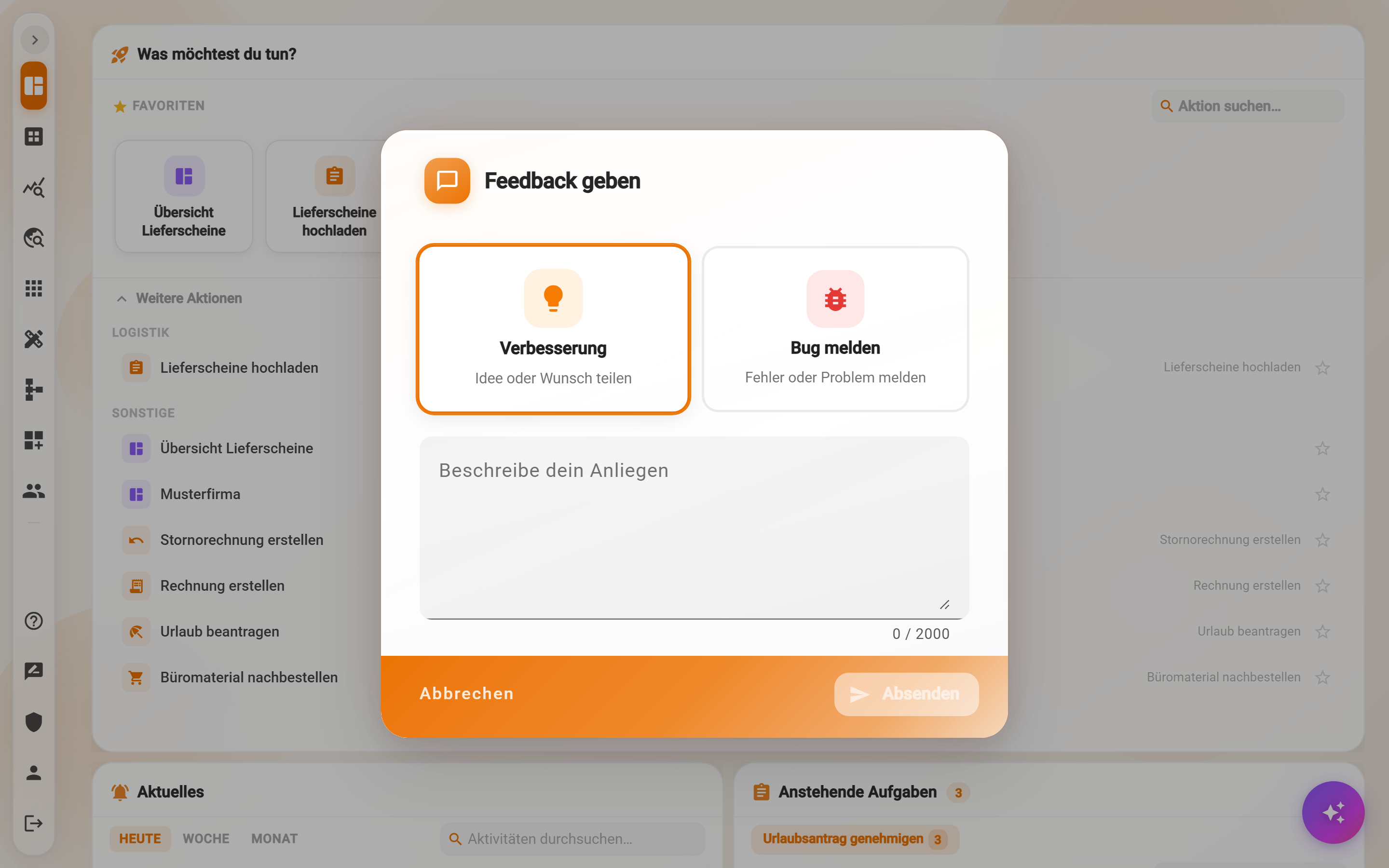
The speech bubble opens Give feedback. Two kinds are available: Improvement (“share an idea or wish”) and Report a bug (“report an error or problem”). Below is the text field Describe your request with up to 2,000 characters, then Submit. The message goes to Pantarey together with user and account; for a bug, the steps that led to it and what was expected instead are helpful.
What's new?
After an update, Pantarey shows the dialog What's new? at the first sign-in with the news of the version, straight from this documentation. Mark as read closes it until the next version, Close shows it again at the next sign-in, Open documentation opens the page What's New at Pantarey in a tab of its own. Later it can be reached at any time via Help & resources → What's new.
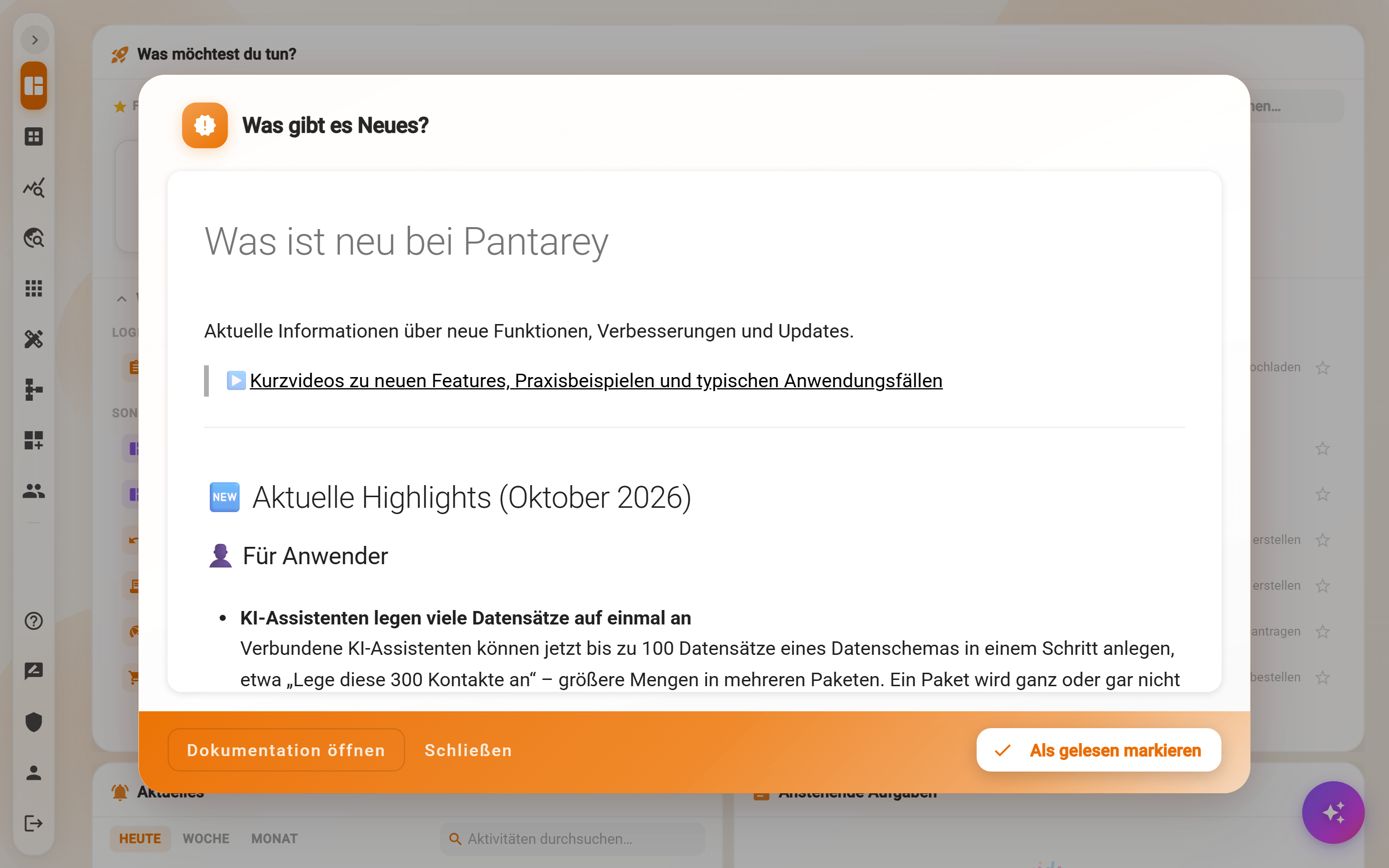
Whether a user sees the dialog and the tile What's new is controlled by the role Show news (What's New), which the administrator assigns under Users → Manage users → Permissions.
Frequently asked questions
A tour breaks off or points at nothing.
Tours highlight elements the area currently displays. If an area is empty (for example no process yet), the tour has no target. Create an entry or load an application first, then start the tour again.
Where did the feedback go?
To the Pantarey team, together with user and account so that follow-up questions are possible. The sender receives a confirmation email from support@pantarey.io.
The “What's new?” dialog keeps coming back.
Then it was closed with Close instead of Mark as read. Only “Mark as read” remembers the version.
Next step
Sign-in and password: first password, forgotten password, signing out.