Instances of a process
A click on a process in the overview of the Process Explorer opens its instances on the Instances tab: every start of the process is one instance with its own business label. The list shows the instances of the last 60 days, newest first, and can be narrowed down by status, text and period.
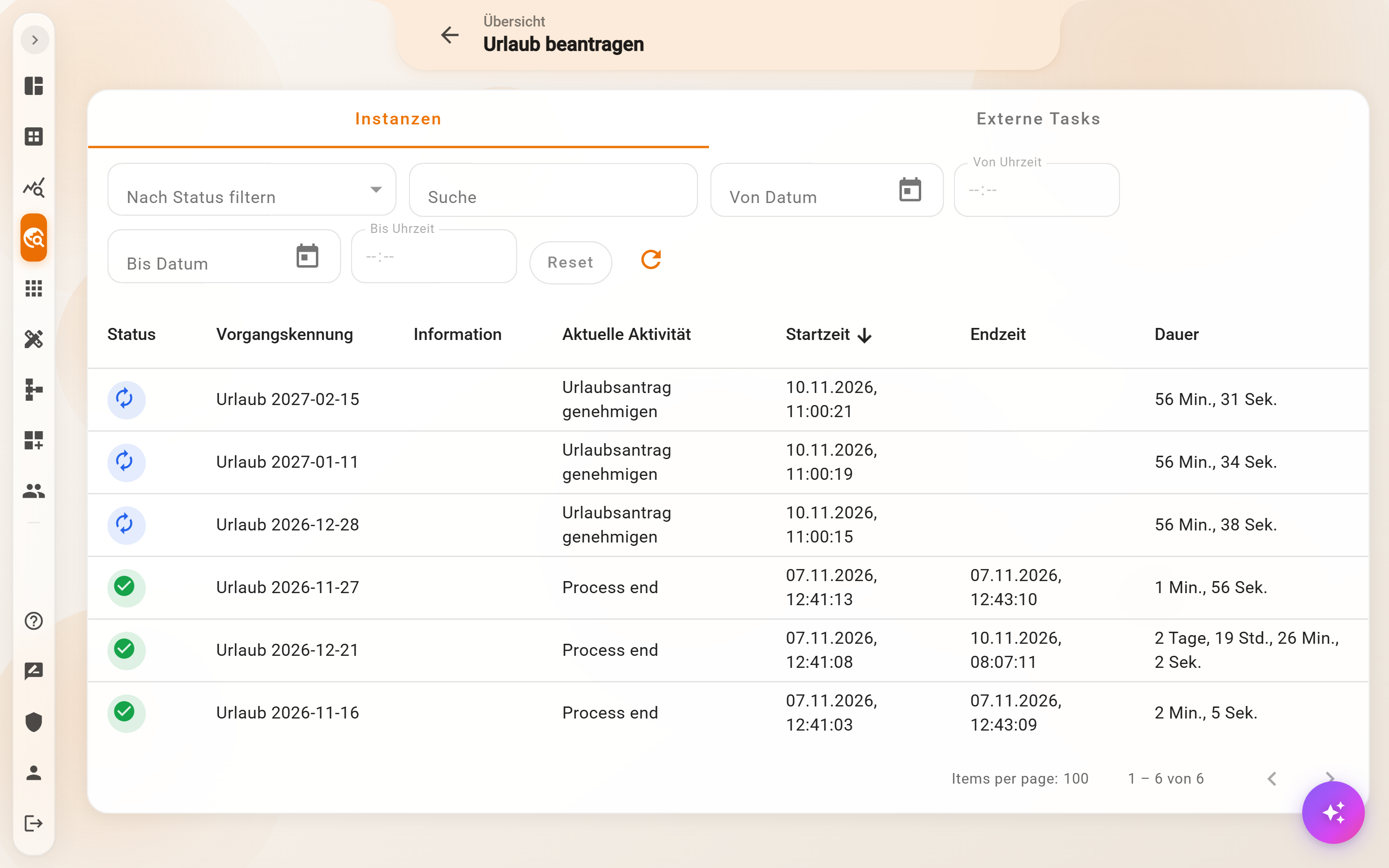
The table
| Column | Content |
|---|---|
| Status | icon for Running (blue), Completed (green), Failed (red) or Cancelled |
| Business label | the name of the instance as the process assigns it, such as “Urlaub 2026-12-28” |
| Information | for failed instances the error message in short form |
| Current activity | the step the instance is in; for finished instances the end |
| Start time, End time, Duration | when the instance began and ended and how long it ran or has been running |
A click on a row opens the instance details. The columns sort by click; at the bottom the pagination pages through longer lists.
Filters
- Filter by status: Running, Completed, Failed, Cancelled.
- Search: full text across business label and information, such as the name of an applicant or a word from the error message.
- From date / To date with time: only instances that were started within the period.
- Reset clears all filters, the arrow icon reloads the list.
On the smartphone the rows become cards; Details opens the instance.
Tab “External Tasks”
If the process contains tasks for people without a Pantarey account, the second tab shows all these external tasks with status, recipient and reminders, controllable individually or in bulk. Details under Monitor and manage external tasks.
Example
A customer asks whether their invoice went out. Process Explorer → “Rechnung erstellen” (create invoice) → search “Praxis Dr. Schneider”: the instance is Running, current activity “Rechnung freigeben” (approve invoice). So the invoice is still waiting for approval by accounting.
Frequently asked questions
Older instances are not visible.
The list shows only instances of the last 60 days. The records an instance has created remain in the database regardless.
What does “Cancelled” mean?
Someone stopped the instance via Cancel process, or the process cancelled it itself, for example through a time limit. Cancelled instances can be restarted like failed ones.
Two instances have the same business label.
The process builds the business label from its data; it does not have to be unique. The instances can be told apart by start time and instance ID in the details.
Next step
Instance details: diagram, key data, every step with its data.