Interface and Navigation
This chapter describes the structure of the Pantarey interface and explains the most important areas for daily work.
Login
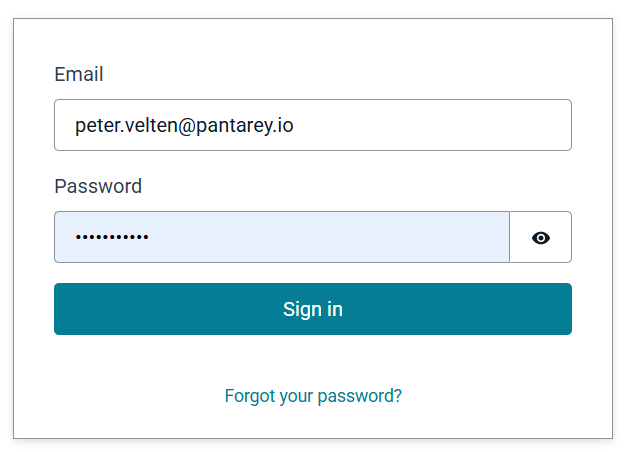
Pantarey is used entirely web-based via a current browser.
After accessing the personal URL ([YourCompany].pantarey.io), login is performed with username and password.
ℹ️ Note: Access credentials are provided via email after an administrator has created the user account.
Main areas of the application
After login, Pantarey is divided into the following main areas:
| Area | Description |
|---|---|
| Overview | Starting area for users: start processes and work on tasks. |
| Database | Management and maintenance of structured data. |
| Data Analysis | Query and evaluation of stored data. |
| Process Explorer | Track and monitor process instances. |
| Templates | Import and management of predefined processes and data structures. |
| Process Designer | Creation and editing of processes. |
| Data Designer | Creation and customization of data models. |
| Administration | User and group management as well as permissions. |
| Settings and Logout | Personalization of the interface and logout. |
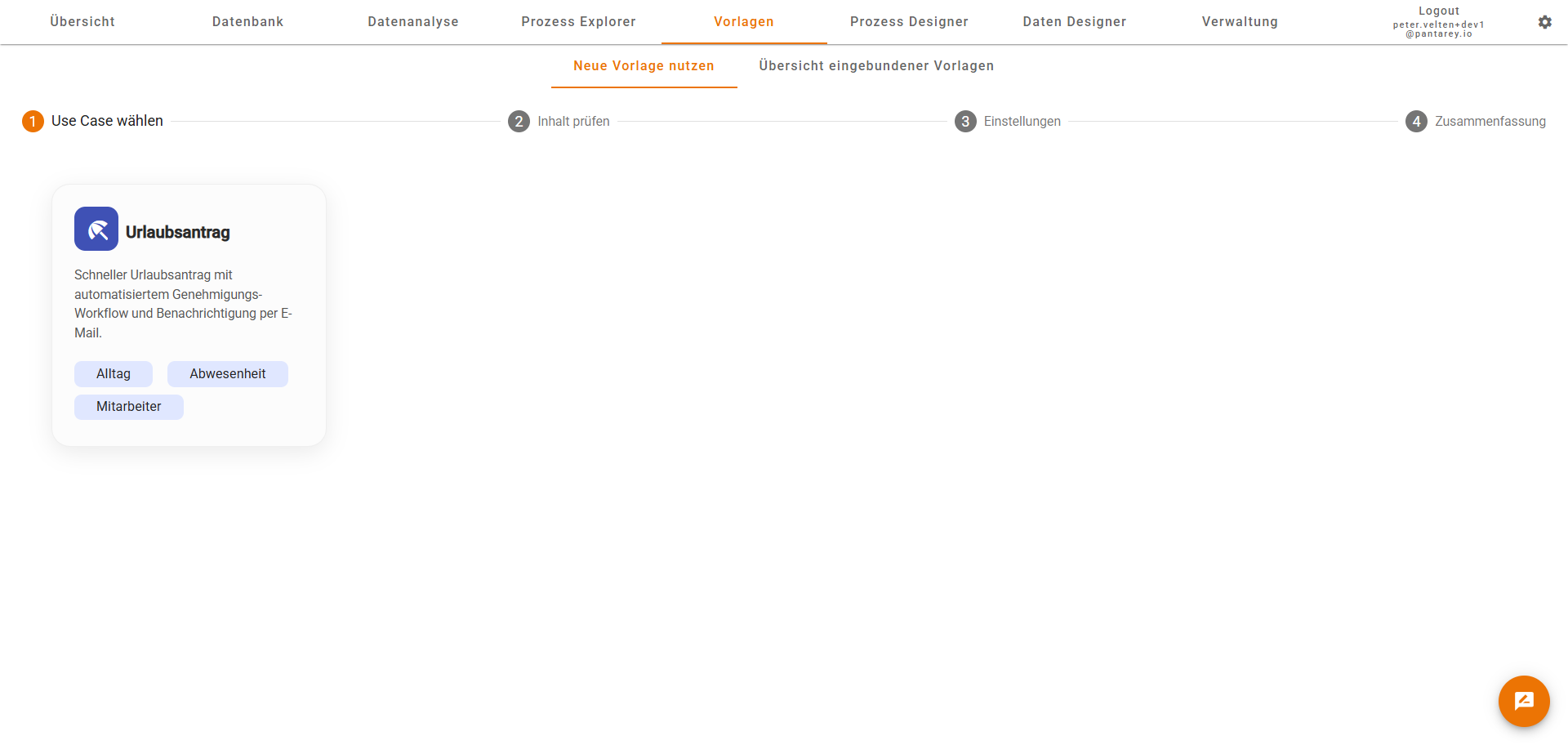
Note: Through permissions in Administration, it can be controlled which areas are visible or hidden for users.
Overview
In the Overview, all important functions for daily work can be found:
- Start processes: Selection of available starting points (e.g. "Submit vacation request").
- Work on tasks: Display of current tasks from processes, including grouping and filtering options (e.g. "Approve all vacation requests").
- Permissions: Only the processes and tasks that are relevant are displayed.

Database
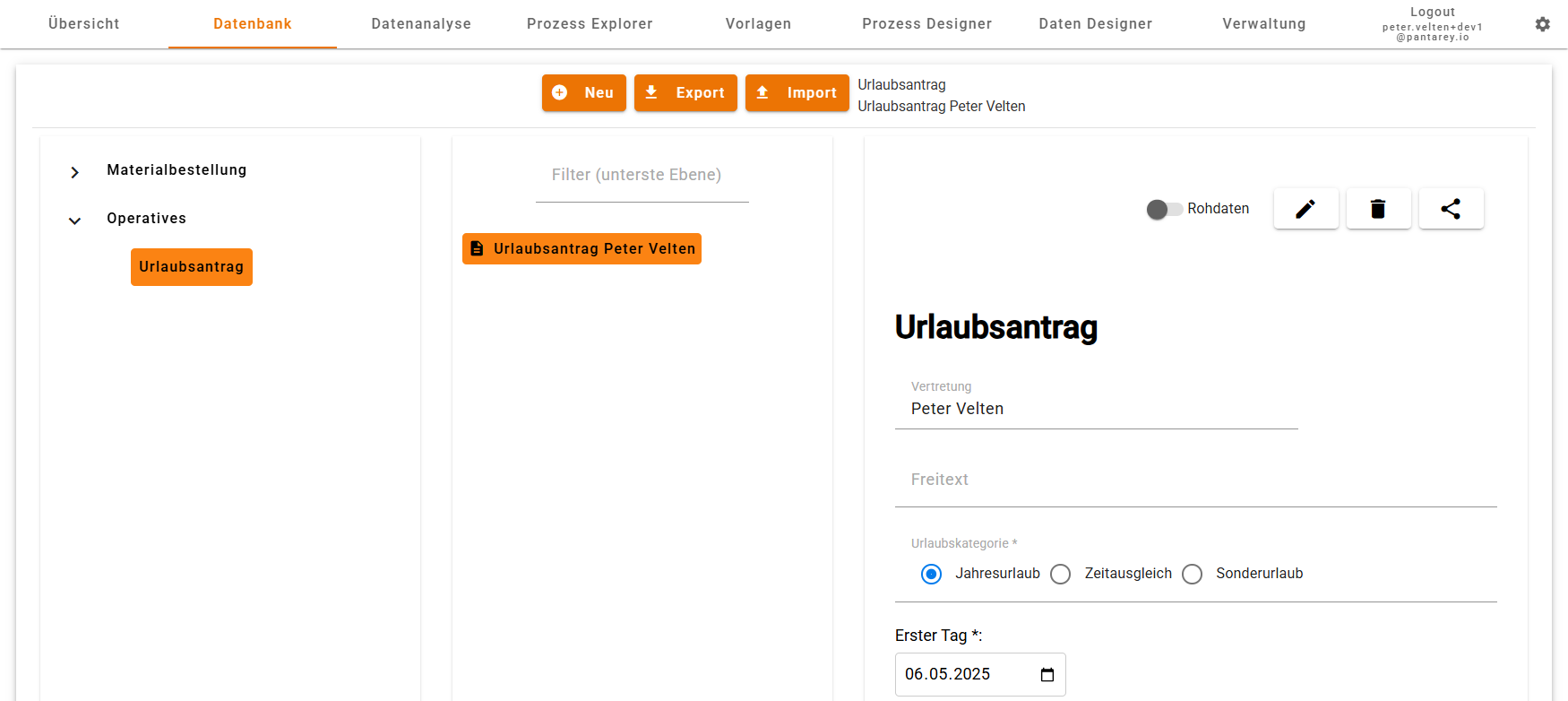
In the Database area, structured information is managed.
- Selection of category based on existing data structures.
- Display of records in a structured overview (comparable to a folder structure).
- Creating, editing and deleting records via automatically generated forms.
Data Analysis
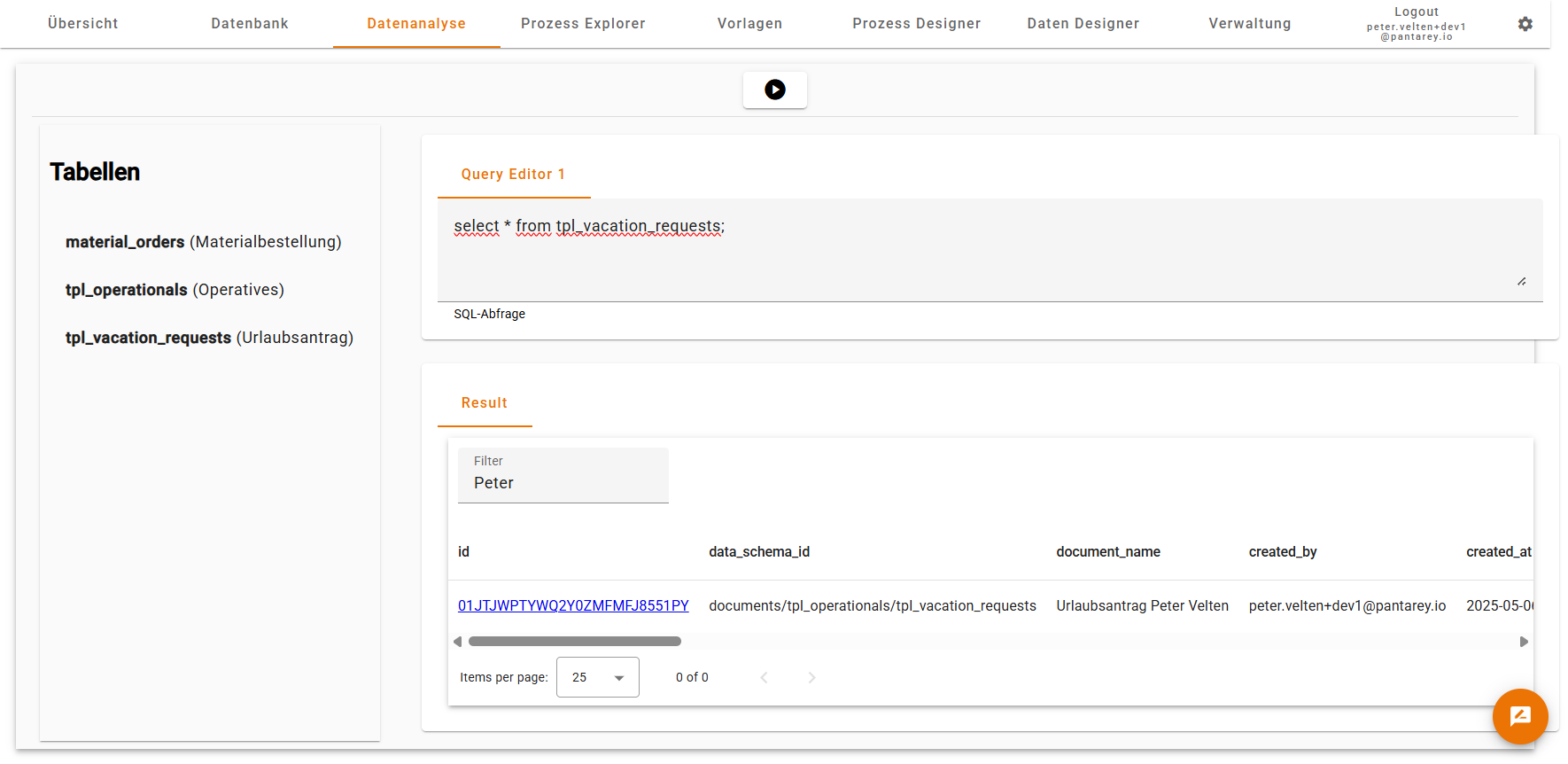
Under Data Analysis, stored data can be evaluated with SQL queries (Trino).
- Tables are automatically created based on the defined data structures.
- Queries can be used for reports or process control.
ℹ️ Note: No special knowledge of a specific SQL or database platform is required.
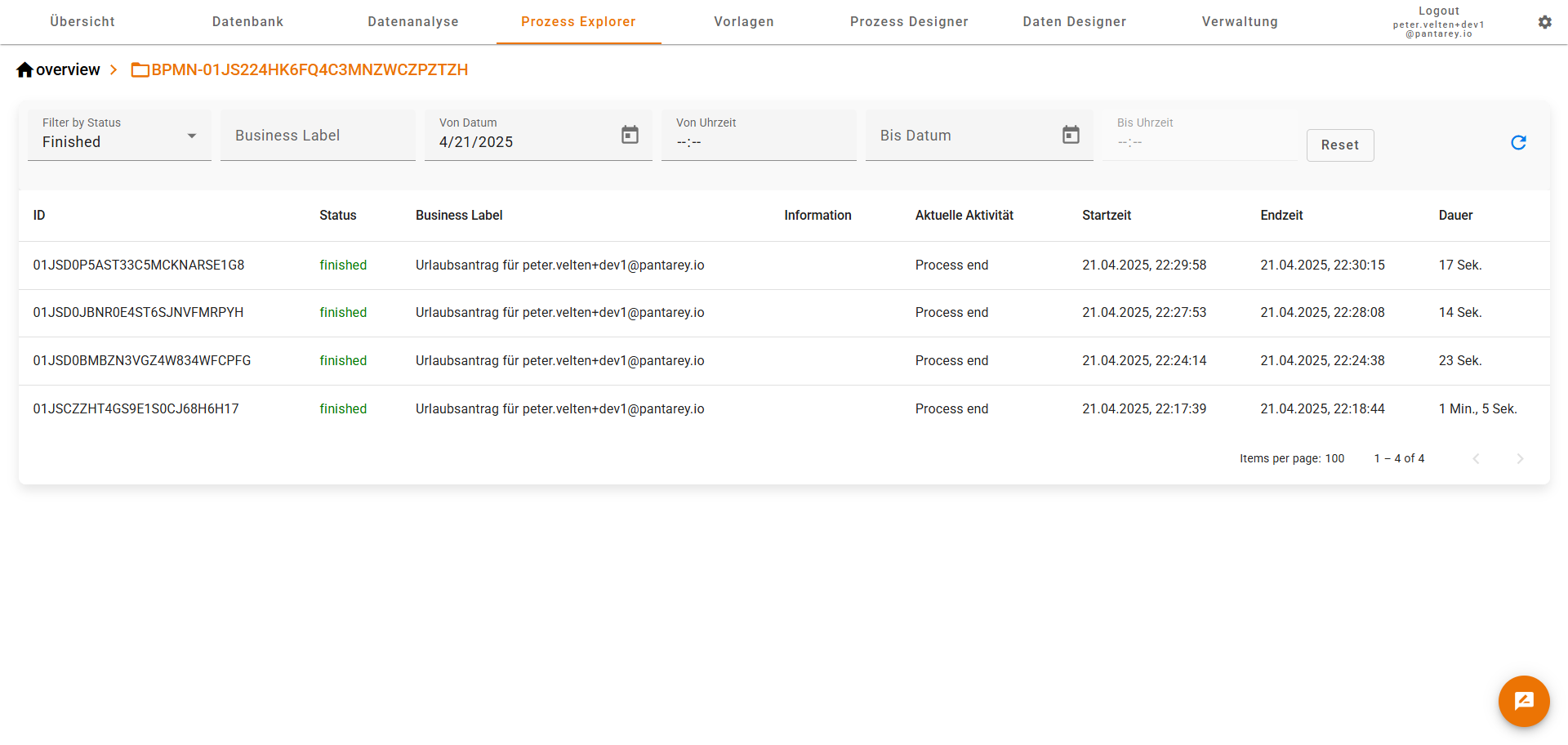
Process Explorer
In the Process Explorer, all running and completed processes can be viewed.
- Overview of process models and associated process instances.
- Status control: successfully completed or faulty.
- Support in error analysis if processes were not completed correctly.
Templates
The Templates area enables:
- Selection and import of finished processes and data structures (e.g. "Vacation Request").
- Management of already imported templates.
- Automatic update when new versions are available.
Process Designer
The Process Designer is the central tool for designers and administrators:
- Creation of processes in BPMN notation.
- Customization and deployment of existing processes.
- Management of all processes on the platform.

Further information can be found in the chapter Build Processes.
Data Designer
In the Data Designer, the structures that form the basis for data management and forms are defined.
- Modeling of data schemas (e.g. invoices, vacation requests).
- Automatic generation of input forms and database tables.
- Close integration with processes: Processes access these data models.

Further information can be found in the chapter Create Data Structures.
Administration
The Administration area includes:
- Creating, editing and deleting users.
- Management of user groups and their permissions.
Settings and Logout
Under Settings, the following can be done:
- Color scheme and appearance of Pantarey can be customized.
- Personal settings such as notification options can be changed.
Via Logout, secure logout from the system is performed.
Summary
Pantarey offers a structured, intuitive user interface that enables both new and experienced users to work efficiently.